Mac menu bar themes that actually move
Brimlight's Mac menu bar themes turn the gray strip at the top of your screen into a tiny living picture: drifting light, a city at night, koi under the water, a pixel train rolling past. There are 39 themes in the catalog, six of them free. Each one is drawn live by your Mac's graphics chip, under menus that stay readable and clickable.
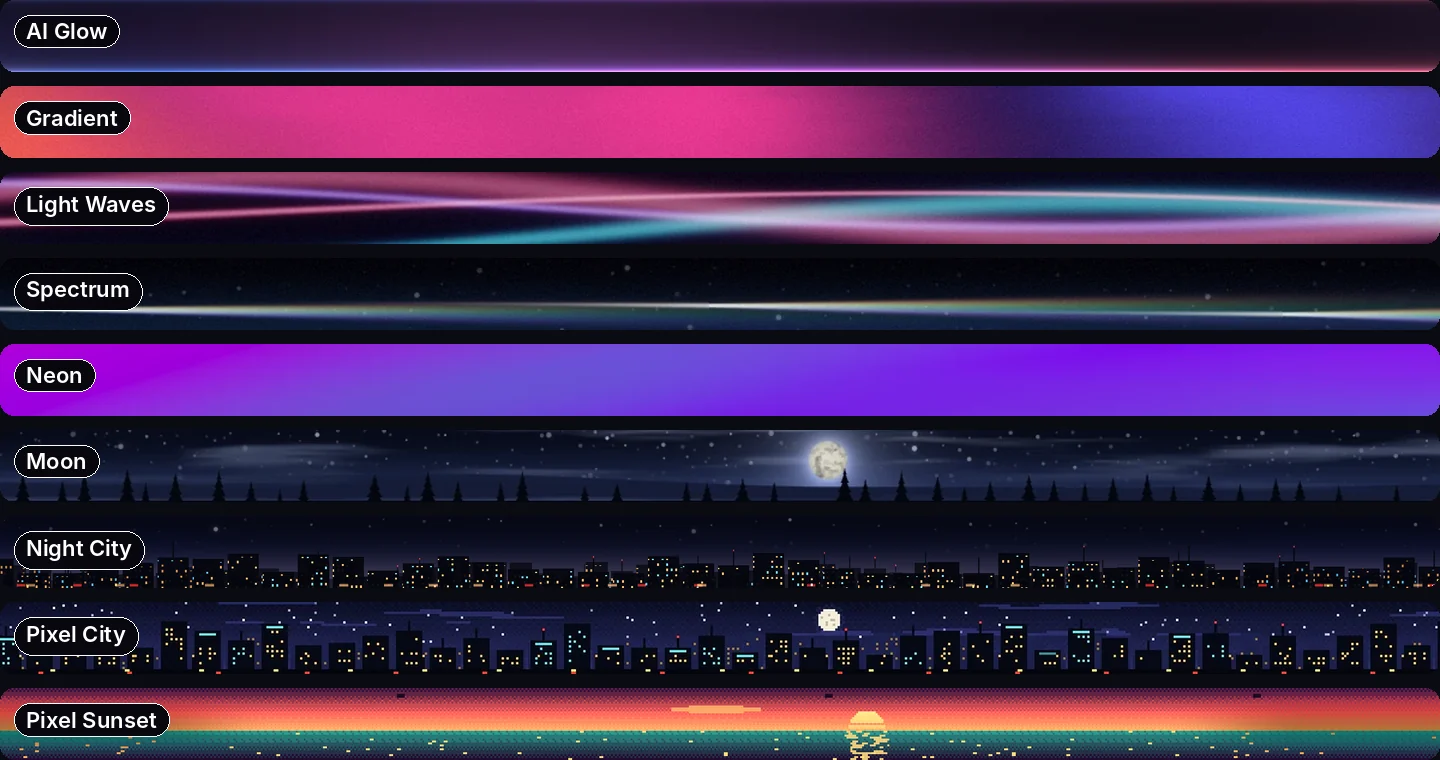
Abstract
- AI Glow: a soft blue, violet and coral glow along the edge of the bar. The default, and the calmest place to start.
- Gradient: orange, pink and violet slowly melting into each other.
- Light Waves: ribbons of light that cross, part and cross again.
- Spectrum: a beam of white light splitting into color, like a prism on a windowsill.
- Holographic: rainbow foil that shimmers as it moves.
- Retro: seventies sunset stripes in red, orange and gold.
- Topography: glowing contour lines, like the map of somewhere nice.
- Halftone: comic-book dots in pink, gold and cyan.
- Paper: waves of layered colored paper with soft shadows.
- Fluted Glass: colored light glowing through ribbed glass.
Gradients
Eight bright gradients with the whole palette laid along the bar and slow folds of light sliding across: Orange, Mango, Fire, Berry, Neon, Lagoon, Lime and Peach. If you just want to change the menu bar color on your Mac, start here.
Calm
- Night City: a skyline with lit windows.
- Moon: a full moon over a pine forest, clouds drifting past.
- Comets: a starry sky with the odd comet streaking across.
- Jellyfish: glowing jellyfish drifting in deep water.
- Misty Forest: fog rolling through the pines.
- Living Sky: the sky as it is right now, with the sun and moon moving through your actual day.
- Calm Sea: smooth water and a path of sun or moonlight.
- Leaf Shadows: sunlight and swaying leaf shadows on a wall.
- Pond: koi gliding between lily pads.
Pixel art
- New Year's Eve: a snowy pixel village with lit windows and a Christmas tree. Pair it with Christmas lights.
- Pixel City: a pixel skyline under a full moon.
- Pixel Sunset: the sun sinking into a pixel sea.
- Pixel Forest: three rows of pines, a glowing moon and a cabin with smoke from the chimney.
- Harbor: a pier with lamps, a sailboat and a lighthouse.
- Night Train: a train rolls past now and then.
Music
Six equalizers, Bars, Mirror, Silk, Sparks, Wave and LED Board, come alive while something is playing. They have their own page: menu bar music visualizer.
Every theme has a day look
On a light wallpaper, macOS writes your menus in black. A dark theme under black text turns into a smudge, so Brimlight switches every theme to its own daytime look, tuned so black letters stay crisp. Night City becomes City by Day, Night Train becomes Morning Train, New Year's Eve becomes Winter Day. You can also pick the menu text color yourself.
Live modes: the bar follows your day
- Time of Day: the sun and moon sit where they really are, with the real moon phase. Three views: Valley (a mountain lake with a little town), Window (a desk by the window) and Clock (the sun's arc across the day). Sunrise and sunset come from your time zone, with no location permission.
- Battery: the bar fills up with your charge.
- Timer: 5, 15, 25 or 50 minutes. A line runs along the bar, then a chime and a flash.
- Shuffle: a different theme every 10 minutes, for the easily bored.
Shapes and effects
Any theme can fill the whole bar (Full), wrap two glass Islands around your menus and your icons, hang as a rounded Capsule or shrink to a thin Line. On top go four effects: Sheen (a streak of light), Edge (a bright rim), Hover (a glow under your pointer) and Ripple (a wave when you click the bar).
Make your own theme and share it
The theme editor lets you pick an animation, two to six colors, a speed and a name. Click Share and Brimlight copies a link. When a friend opens it, Brimlight loads your theme and their menu bar looks exactly like yours. Themes also travel as small .brimlight files.
Free and Pro
| Free | Pro | |
|---|---|---|
| Themes | 6 | all 39 and every future one |
| Day looks, glass islands, notch, several displays | yes | yes |
| Time of Day, Battery and Timer modes | — | yes |
| Theme editor, share links, effects | — | yes |
| Price | $0, never expires | $6.99 for 1 Mac or $9.99 for 2 Macs, one-time |
Download free Install guide Meet the pets Get Pro
FAQ
How do I change the menu bar color on a Mac?
macOS has no setting for it: the menu bar follows your wallpaper and your Light or Dark appearance. Brimlight draws a theme under the menu bar instead, from a calm gradient to a full animated scene, and keeps your menus readable on top.
Are animated menu bar themes bad for the battery?
No. Brimlight draws on the graphics chip and uses about 4–5% of the processor on a 2019 Intel MacBook Pro. On battery it draws fewer frames; in Low Power Mode it pauses.
How many themes are free?
Six, and they never expire. Pro unlocks all 39 and every future one.
Do themes work with the notch and several displays?
Yes. Themes, islands and effects know where the notch is, and every display gets its own bar.