How to change the menu bar color on Mac
Short answer: macOS doesn't have a "menu bar color" setting. The bar takes its look from Dark Mode, your wallpaper and a couple of accessibility switches. If you want an actual color, a gradient or something that moves, you need an app like Brimlight. Here's both routes.
What macOS lets you change
Light or Dark appearance. System Settings → Appearance. Dark turns the menu text white and the bar darker; Auto switches with the time of day. That's the biggest built-in change you can make.
Your wallpaper. The menu bar is see-through, so it picks up the colors at the very top of your wallpaper. A wallpaper with a strong color along the top edge is the oldest trick for a "colored" menu bar. It works, but you're choosing a wallpaper for one thin strip.
Reduce transparency. System Settings → Accessibility → Display → Reduce transparency. The bar turns solid gray (or black in Dark Mode). Good for readability, but it's the opposite of colorful.
macOS Tahoe. On macOS 26 the menu bar is fully transparent by default. System Settings → Menu Bar has a "Show menu bar background" switch if you want the solid strip back. More in our macOS Tahoe menu bar guide.
What you can't do in macOS: pick a color, set a gradient, or make the bar react to anything.
Give the menu bar any color with Brimlight
Brimlight draws under the menu bar, so the bar can be any color you like while menus and icons stay readable and clickable.
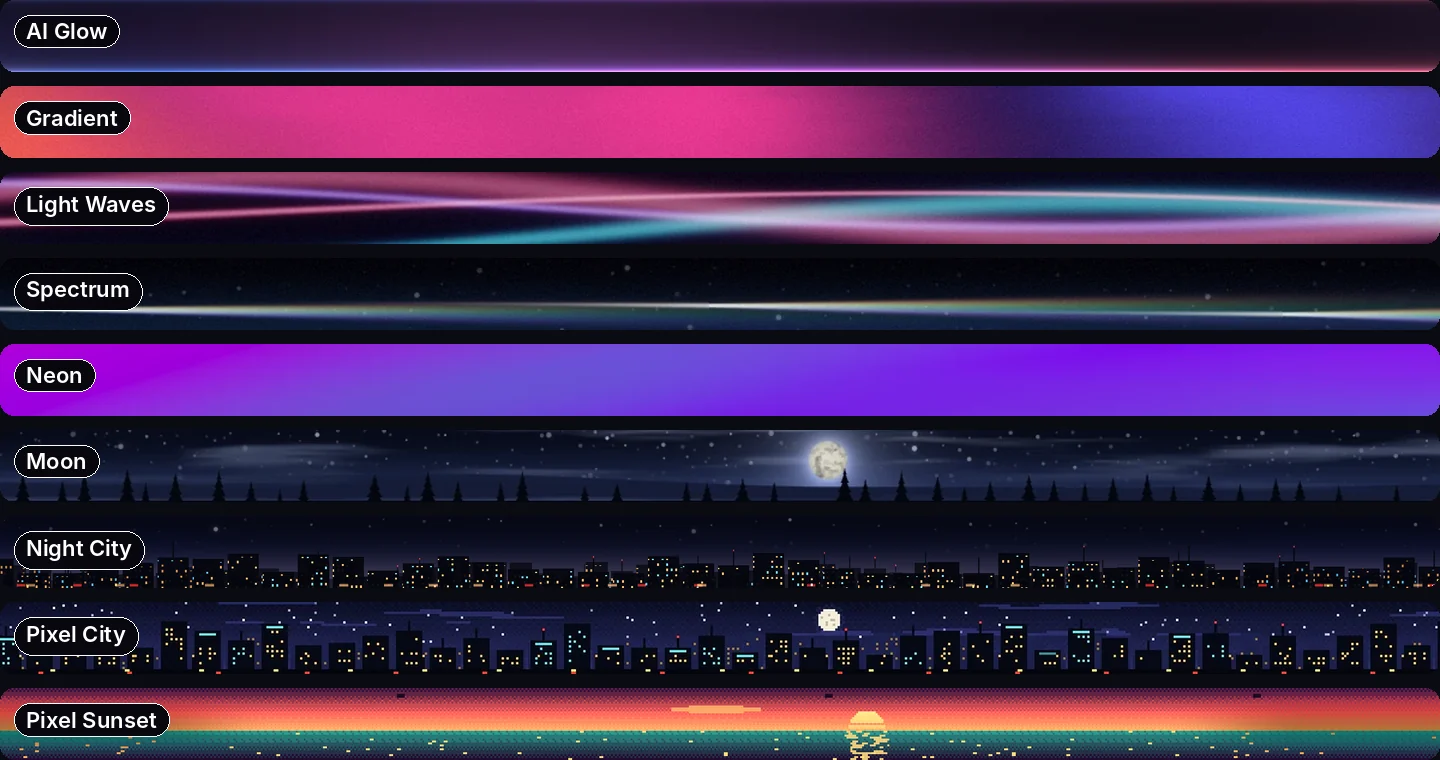
- Solid colors and gradients. Pick a gradient from the catalog or make your own in the theme editor, then share it with a link.
- Animated themes. 41 living themes: drifting light, a night city, pixel-art sunsets, a sky that follows the real sun.
- Colors that follow your music. In music mode the bar turns into an equalizer that moves with whatever is playing.
- Time of day. One mode shifts the bar's colors from morning to night by itself.
- Readable text, always. Brimlight checks the contrast under every menu title and adjusts, so you never lose a menu to a bright theme.
It's a free download: the free version has 6 themes, the 3D cat and music mode, with no time limit. Pro unlocks all 41 themes and the theme editor for a one-time $6.99.
Change the menu bar color in three steps
- Download Brimlight and drag it to Applications.
- Open it from the menu bar and pick a theme. The bar changes right away.
- Want your own color? Open the theme editor (Pro), set your colors, save.
Going for the full look? Read the aesthetic Mac setup guide.
FAQ
Can you change the menu bar color on a Mac without an app?
Not directly. macOS only lets you switch Light/Dark appearance, reduce transparency, or choose a wallpaper whose top edge tints the see-through bar.
Will a colored menu bar make menus hard to read?
Not with Brimlight. It draws under the menus and keeps the text contrast readable on every theme, day and night.
Does changing the menu bar color slow down the Mac?
Brimlight draws on the graphics chip, uses a few percent of the processor, draws fewer frames on battery and pauses in Low Power Mode.
Does it work with the notch and on several displays?
Yes. Themes and decorations go around the notch, and every display gets its own bar.